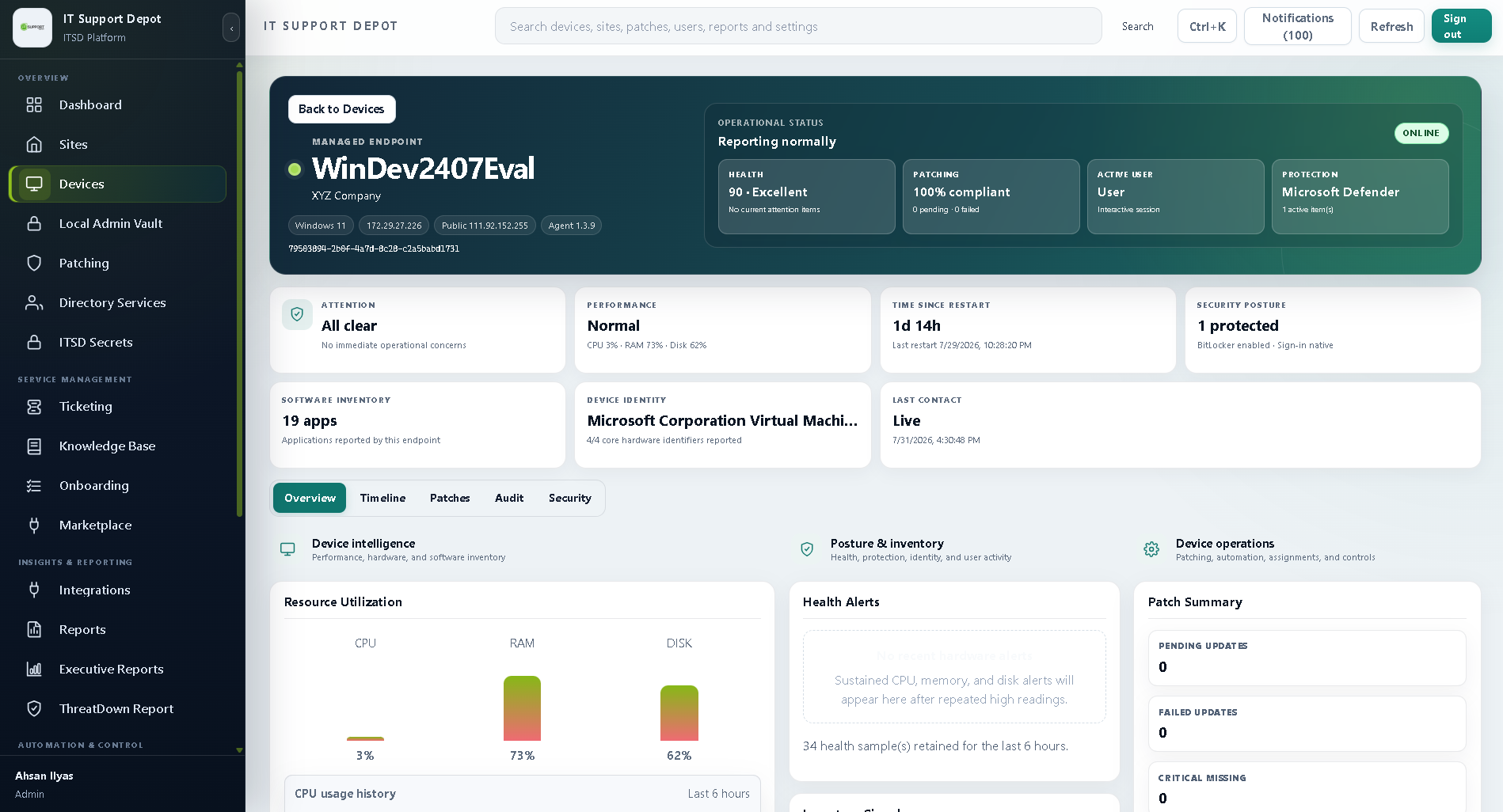
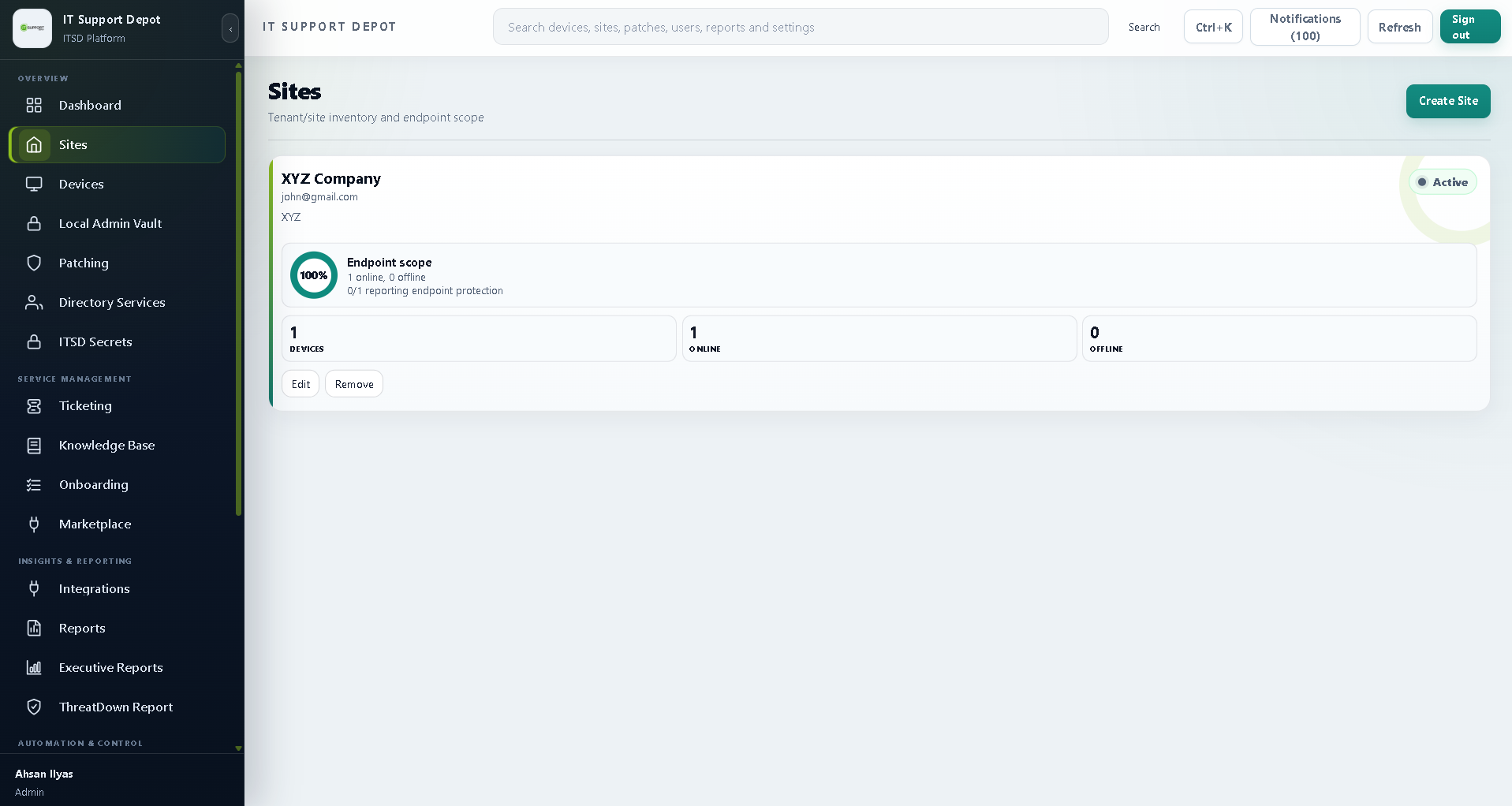
Agent health
Track which agents are online, stale, missing, unhealthy, or failing to check in across every client tenant.
 Start 60-day trial
Inside RMM + Ticketing
The portal view brings device posture, patch readiness, disk encryption, alerts, automation, and ticket context into one technician workspace.
Visual workflow
Use this type of visual to explain agent health, patch readiness, disk encryption, alerts, and tickets without making prospects imagine how the workflow fits together.
Overview
Many MSPs lose time because alerts, assets, tickets, scripts, and client reporting live in separate tools. MSPdepot combines RMM and ticketing so technicians can move from endpoint signal to support action without rebuilding context. The goal is practical: reduce manual triage, improve response consistency, and show clients clear evidence of work performed.
The package is designed for MSP owners, service managers, dispatchers, and technicians. Owners get pricing that is easy to explain. Managers get queue visibility. Technicians get client and endpoint context. Clients get cleaner reporting about patching, encryption, ticket volume, and service value.
RMM features
Track which agents are online, stale, missing, unhealthy, or failing to check in across every client tenant.
Review patch compliance, missing updates, reboot requirements, approval status, and remediation queues.
See device ownership, client, operating system, location, user relationship, and service history.
Use service and process checks to identify stopped services, recurring failures, or noisy endpoint issues.
Run repeatable scripts and keep history so technicians can prove remediation was attempted or completed.
Combine endpoint health, patch posture, encryption status, and alert history into a risk view.
Ticketing
MSPdepot ticketing is positioned around dispatch clarity. Tickets should carry the client, affected device, priority, SLA target, alert context, and previous activity. That gives technicians a faster start and gives managers a cleaner way to understand workload.
Disk encryption
MSPs increasingly need to prove that client endpoints are not only online, but protected. Disk encryption visibility helps a technician or account manager quickly identify which endpoints are encrypted, which need review, and which clients have posture gaps.
Automation
Automation should be visible as operational value, not hidden in the background. MSPdepot can position automation around recurring maintenance, alert-to-ticket workflows, remediation scripts, and repeated issue reduction.
Create a ticket with tenant, asset, severity, and technician queue already attached.
Run approved scripts for common fixes and preserve execution history for accountability.
Schedule recurring actions that reduce technician time spent on repeated checks.
Route persistent or critical issues to the right technician or service pod.
Reporting
The RMM + Ticketing product should support monthly and quarterly client conversations. Reports can show ticket volume, SLA performance, patch posture, encryption coverage, automated remediation, endpoint health, and recurring risk patterns.
SEO terms this page targets include MSP RMM software, RMM and ticketing for MSPs, endpoint monitoring for MSPs, MSP disk encryption reporting, MSP ticketing platform, and remote monitoring and management software.
FAQ
The RMM + Ticketing package is priced at $79 per user per month.
Disk encryption visibility is part of the RMM value story and can be shown in endpoint posture and reporting views.
It is built for MSPs that need monitoring, ticketing, automation, endpoint posture, and service reporting in one platform.
Yes. It can connect to Identity, Managed Helpdesk, Risk Assessment Reports, and Vendor Marketplace offerings.
Start with the core $99 per user/month package and add identity, helpdesk, risk reporting, or marketplace offers as needed.