Platform update Disk encryption is available. MDM and Mac support are incoming. MSPDepot | One Platform. Every Endpoint. Zero Headaches.

System online � Built for MSPs and IT teams

One Platform. Every Endpoint. Zero Headaches.

MSPDepot brings remote monitoring, patch management, backup, ticketing, and security posture together in a single dashboard, built for MSPs and IT teams who are tired of juggling six different tools just to keep the lights on.

Trusted by IT teams and MSPs across healthcare, education, finance, and retail.
No credit card required. Cancel anytime. Full access, zero commitment.
Remote monitoringPatch managementBackupTicketingSecurity postureVendor revenue Remote monitoringPatch managementBackupTicketingSecurity postureVendor revenue

The problem

One platform for the work that usually lives in five different tools.

Here's the thing about running an MSP today: you are not really running one business, you are running five. Monitoring in one tab, patching in another, backup somewhere else, tickets in a fourth system, and documentation scattered across whatever your last hire happened to use. It adds up to hours lost every week, and none of those hours go toward actually helping a client. MSPDepot exists to collapse that down to one place.

01

Detect

You get visibility into device health, patch status, encryption state, running services, and whether every agent is actually reporting in.

  • Live checks on CPU, memory, disk, and network
  • Patch readiness broken down by OS
  • Alerts when agents go quiet or encryption changes
Live endpoint checks
02

Resolve

Alerts do not just sit there. They become tickets automatically, already carrying the device context a tech would otherwise dig up manually.

  • Tickets routed to available technicians
  • Scripts run straight from the alert
  • SLA clocks and escalations stay visible
Ticketing + scripts
03

Protect

MSPDepot surfaces stale accounts, missing MFA, over-privileged users, and unencrypted laptops before a client's auditor does.

  • Identity checks flag stale accounts
  • MFA coverage shown per user
  • Encryption and admin access reviewed against baseline
Security posture
04

Prove

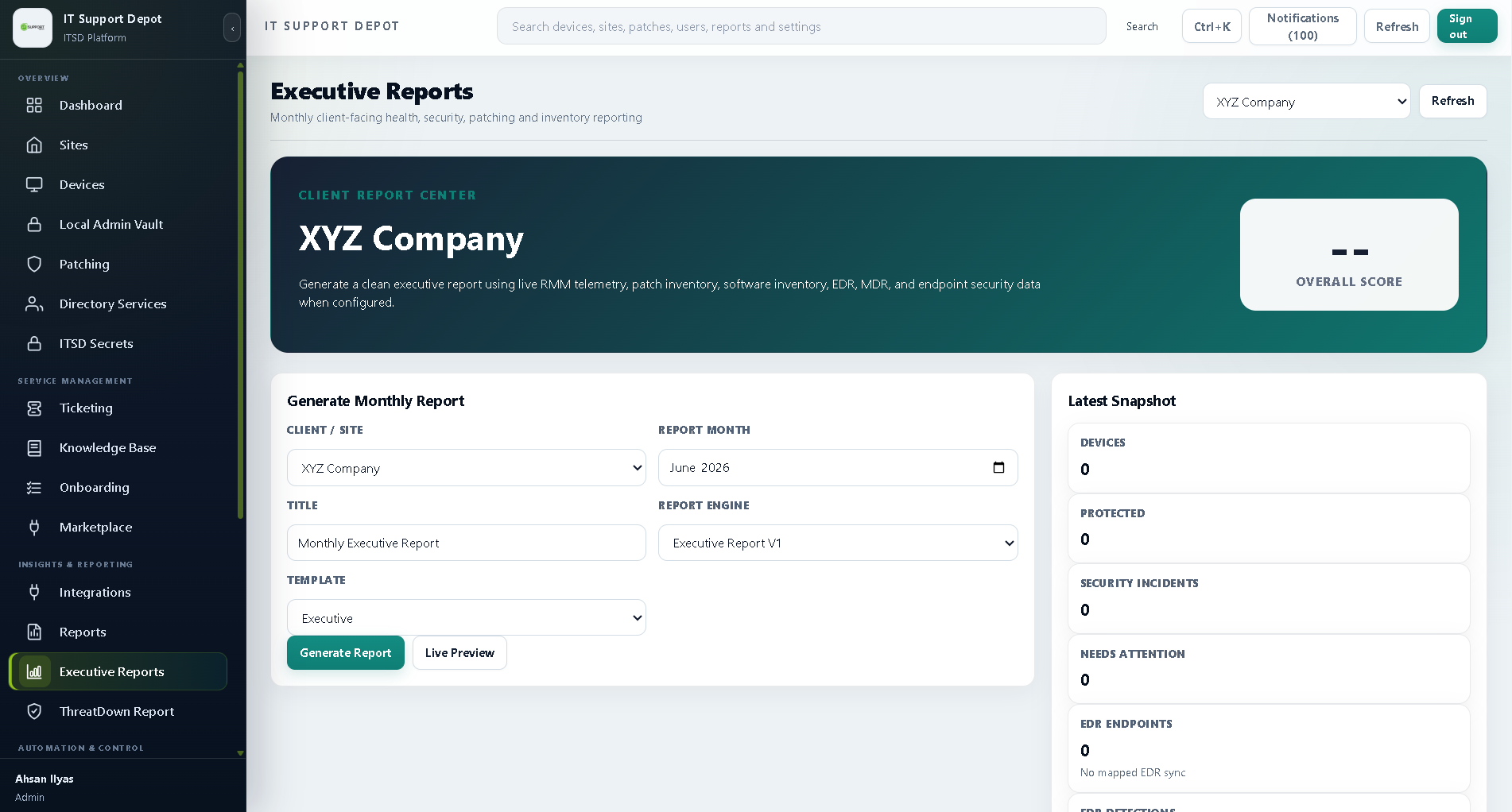
Come QBR time, pull the operational and security work you have already done into something a client can actually read.

  • Reports on uptime, patches, and ticket volume
  • QBR summaries without hours of formatting
  • Prioritized list of what is still open
Reports + QBRs
05

Grow

Once the basics are handled, expand with more helpdesk hours, tools you already recommend, and commission paths on select integrations.

  • Scale helpdesk hours by client contract
  • Bundle preferred vendor tools
  • Referral or commission options where eligible
Capacity + revenue
06

Deploy

Bringing on a new client should not eat a whole week. Push agents in bulk and apply your baseline when each device checks in.

  • Silent installers for Windows, Mac, and Linux
  • New sites inherit the right policy
  • Bulk enrollment by CSV, script, or directory
Fast onboarding
07

Automate

Write the fix once. Let it run every time that same issue shows up again.

  • Script library for common remediation
  • Automations triggered by monitoring alerts
  • Approval gates for production systems
Repeatable fixes
08

Back Up

Backups matter far less than restores. What matters is whether data comes back when a client's server fails.

  • Jobs for endpoints, servers, M365, and Google Workspace
  • Restore verification beyond job-complete flags
  • Retention rules by client or contract
Restore confidence
09

Scale

Five clients or five hundred should not change how your dashboard works. Multi-tenant views keep the overview intact.

  • Cross-client dashboards with instant drill-down
  • Access controls per technician and account
  • Workload views that show when to hire
Multi-tenant growth
10

Bill

Time tracked, contracts signed, and usage logged can become an invoice without opening another piece of software.

  • Pricing per technician or endpoint
  • Contracts and SLAs tied to ticket history
  • Exports for your accounting system
Invoice-ready data
One dashboardEvery endpointLess tool-switching

How it works

From first alert to invoice.

Every device follows the same journey: something breaks or drifts out of spec, someone resolves it, and eventually you need to show the client what happened. MSPDepot is built around that whole arc, not just the monitoring piece.

01 / Core platform

See every issue, then fix it without losing context.

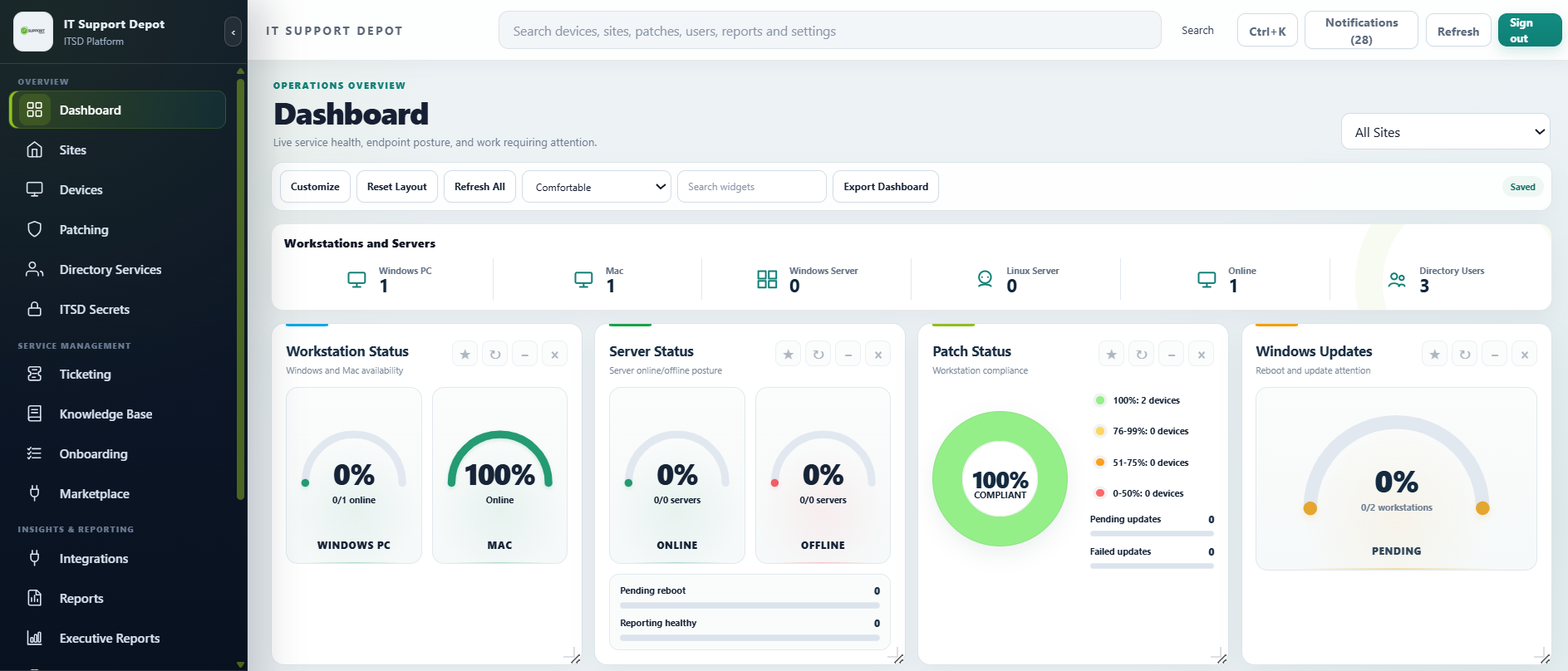
Every device on one screen. Catch problems before clients notice them and fix many issues without opening a separate remote session.

  • Live CPU, memory, disk, and network checks
  • Patch readiness broken down by operating system
  • Alerts when agents go quiet or encryption changes
  • Script history and remediation workflows
$99per user/month
Explore RMM + Ticketing →
Device operationsAll clients
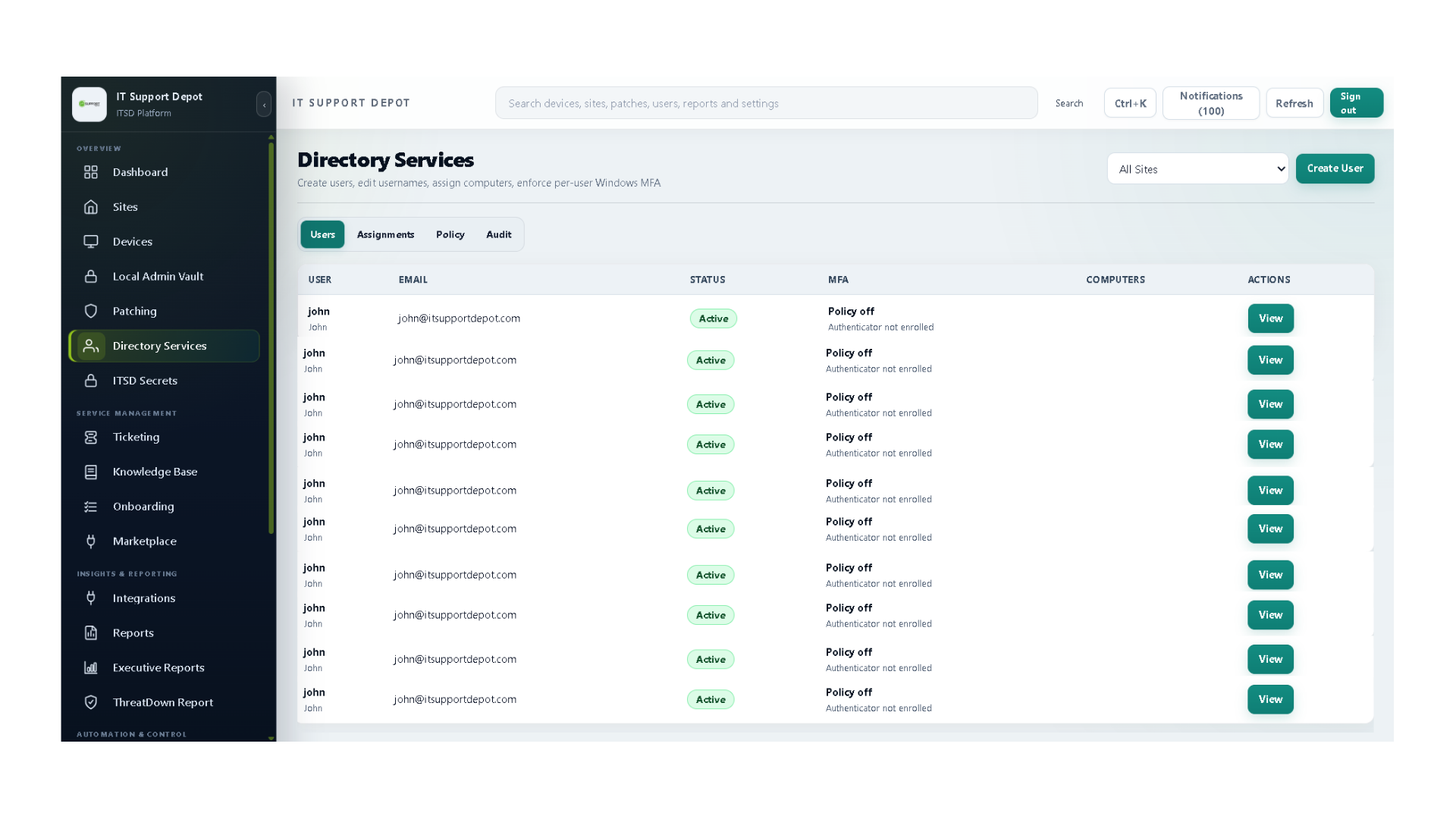
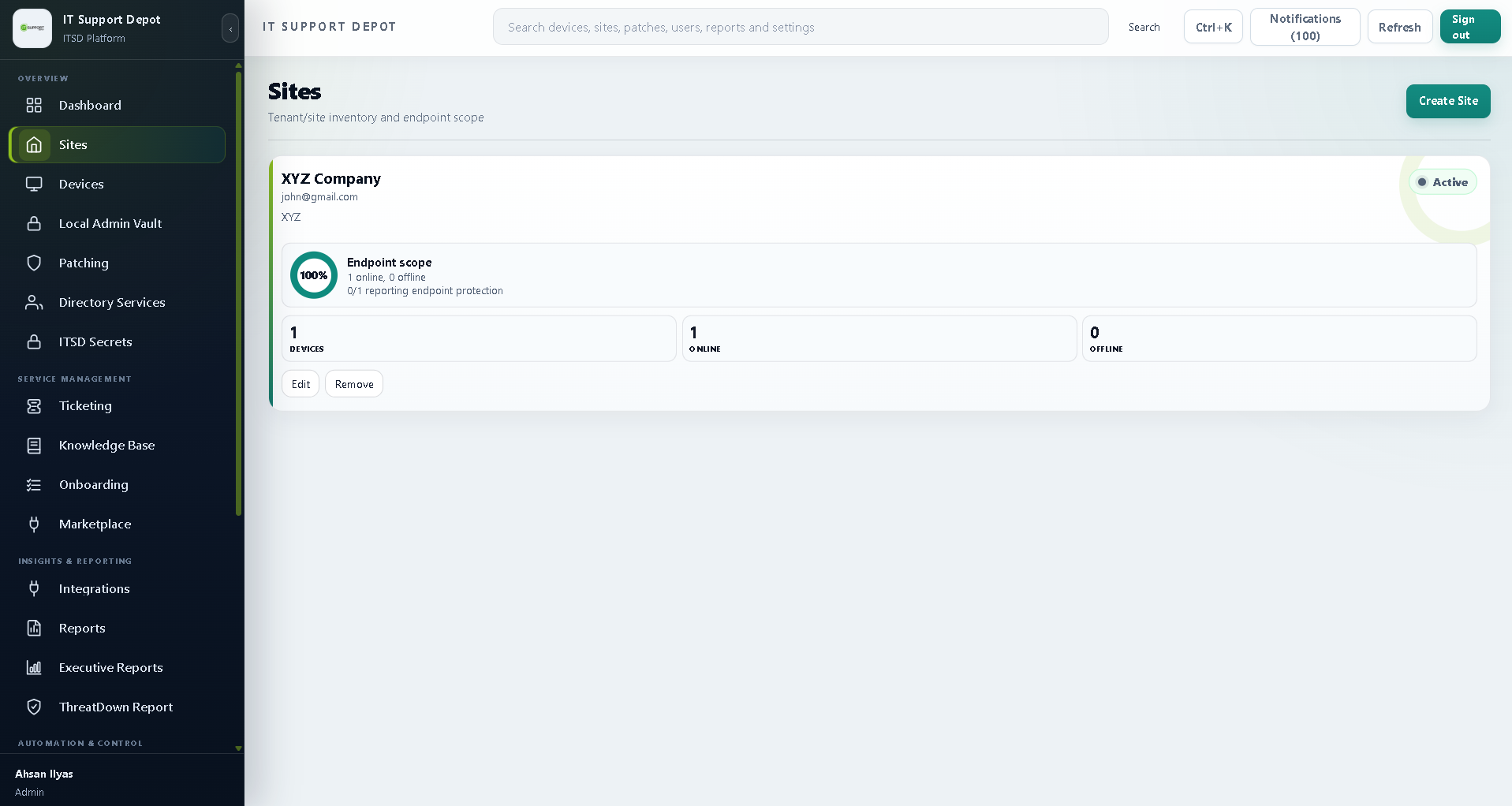
MSPdepot RMM and Ticketing Dashboard Interface

A practical toolset for running, securing, and growing an MSP

MSPDepot is not four separate features bolted together.

The pieces actually talk to each other. Endpoint data feeds tickets. Identity and encryption gaps feed risk reporting. What you find during a client review feeds into service or vendor recommendations you can actually act on.

01
Operate

Endpoint operations

Core

Keep day-to-day visibility across every client device, and turn raw technical signals into work your techs can actually pick up and run with.

  • Agent health and check-in status
  • Device and software inventory
  • Patch readiness and reboot visibility
  • Disk encryption posture
  • Service and process monitoring
  • Script execution history
Explore endpoint operations →
02
Deliver

Service desk workflows

Core

Intake, assignment, client context, endpoint history, escalation, and reporting stay connected instead of living in five different places.

  • Client-aware ticket intake
  • Alert-to-ticket workflows
  • Asset context inside tickets
  • SLA timers and priority queues
  • Technician workload visibility
  • Escalation and activity history
Explore ticketing →
03
Secure

Identity and posture

Add-on

Give every managed user and endpoint a clearer security lifecycle, with evidence that holds up when a client or auditor asks questions.

  • User onboarding and offboarding
  • MFA coverage visibility
  • Access approvals and changes
  • Privileged account review
  • Identity audit history
  • Encryption and patch findings
Explore Identity →
04
Expand

Reporting and growth

Flexible

Make recurring work visible, add support capacity where you need it, and organize product opportunities around what your clients actually need.

  • Operational client reporting
  • Cyber security risk assessment
  • QBR-ready recommendations
  • Managed helpdesk capacity
  • Preferred vendor pricing
  • Commission paths where eligible
Explore reporting and growth →

What is actually in the platform

More ways to serve clients. More ways to grow margin.

015

Connected offers

Core operations, identity, helpdesk, security reporting, and vendor opportunities all support a broader client relationship instead of disconnected point solutions.

024

Clear monthly prices

Simple, predictable pricing makes it easier to model cost, package services, and explain the value to a client without a spreadsheet.

032

Incoming expansions

MDM and Mac support are on the roadmap, extending coverage for mixed device fleets and modern client environments.

Vendor relationships

Turn tool recommendations into a commercial advantage.

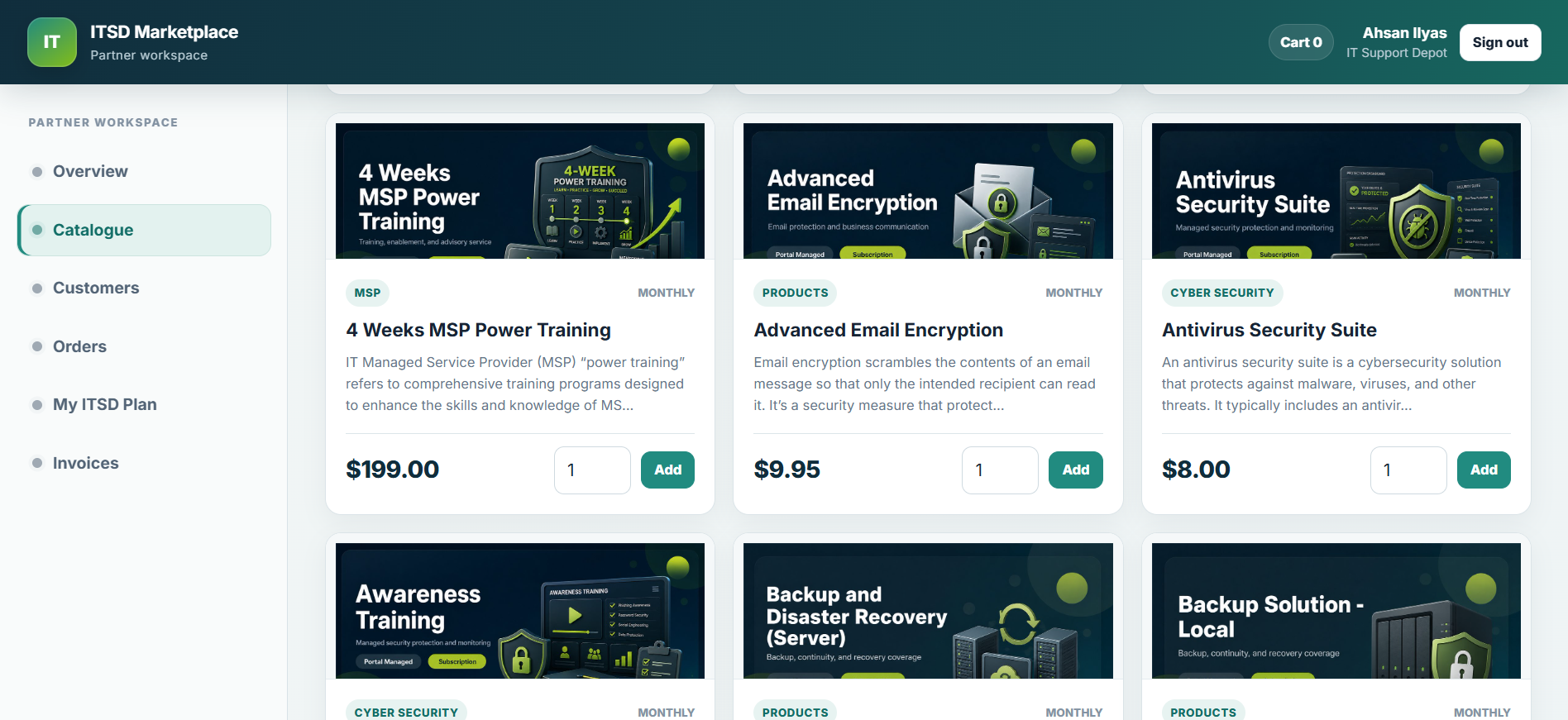
A curated place for MSP partners to find preferred pricing, spot commission opportunities, and attach the right products to a risk finding or service bundle, instead of recommending tools for free and watching someone else collect the margin.

Curated vendorsPreferred pricingPartner revenue
D
Discounts
Preferred pricing on security, backup, cloud, and compliance tools.
C
Commission
Earn revenue on eligible programs, no extra work required.
B
Bundles
Client-ready offers that combine services and tools into a single package.
R
Recommendations
Suggestions mapped directly to a client's security and growth needs.

60 days, full access, no card

Most competitors hand you 14 days and a sales call.

We are giving you 60 days of the real thing, because we would rather you find out for yourself than take our word for it. Nothing is gated or feature-limited during the trial, and onboarding support is included, not sold separately.

Claim Your 60-Day Free Trial No card required. Cancel anytime.

Built for different MSP stages

Start with the pressure your team feels today.

The platform supports a focused starting point and grows as your service model matures. You do not need to buy the whole thing on day one.

Founder-led MSP

Get control of endpoints and tickets first.

For small teams where the owner is still dispatching work, fielding user questions, and managing client expectations all at once.

RMM + Ticketing+Optional Helpdesk
  • Centralize device and ticket context
  • Reduce repeat technician work
  • Add coverage without hiring immediately
Build the operational core →
Security-led MSP

Turn posture into recurring client value.

For MSPs already using security reviews, QBRs, and recommendations to deepen client relationships and justify recurring revenue.

Identity + Risk+Marketplace
  • Identify MFA and encryption gaps
  • Present prioritized recommendations
  • Attach services and vendor tools
Build the security story →

Simple monthly pricing

Simple monthly pricing.

Start with the platform plan that fits your team, then add helpdesk capacity and client-ready security reporting as needed.

60-day trial
B

Platform Basic

$79/user/month

Endpoint operations, automation, ticketing, patching, reporting, onboarding, and service delivery workflows.

Start 60-day Basic trial →
Tier 2 IT Support in 60 Seconds.
H

Helpdesk

Contact Us/seat/month

Additional helpdesk capacity for smaller MSPs that need extra service coverage without hiring.

View Helpdesk →
I

Identity

Add-On/month

Add identity lifecycle management, MFA visibility, and access review workflows to your core platform.

View identity →

Platform roadmap

Windows today. Modern device coverage expanding next.

MDM and Mac support are incoming, with deeper compliance reporting across identity, encryption, endpoint, and risk posture.

Explore the roadmap
WindowsAvailable
MDMIncoming
MacIncoming

Latest insights

Fresh thinking for modern MSPs.

View all blogs

Frequently asked questions

Frequently asked questions.

Answers about the 60-day trial, setup, multi-tenant management, mixed environments, cancellation, and onboarding.

Ask a question →
Is the 60-day trial actually free, no card required?

Yes, full platform access, no card on file, and it just expires if you do not continue. We will not auto-charge you.

How fast can I actually get set up?

Most teams have their first devices reporting within a few hours. Bulk onboarding means you are not adding a client one device at a time.

Can I run more than one client from a single account?

Yes, it is multi-tenant by design. Drill into a single site or device, or zoom out and look across every client at once.

Does it handle mixed OS environments?

Windows, Mac, and Linux are all managed from the same dashboard, including monitoring, remote access, patching, and related workflows.

What happens to my data if I cancel?

You get a window to export your documentation, tickets, and reports afterward. We are not holding your operational history hostage.

Do you help during onboarding, or am I on my own?

Onboarding support is included with the trial. You are not left figuring out policy configuration by trial and error.

Our Partners

Works with tools your clients already rely on.

MSPDepot works with the antivirus, backup, PSA, and ticketing tools you are probably already running, so switching does not mean rebuilding your stack from zero.